Revolutionize Your Life with X96Q Pro Allwinner H313 Android TV Box
Source:tv-boxes.cn Release on: 2025-01-10-11-03-39
In the era of smart home entertainment, finding an affordable yet high-performance Android TV box can be a daunting task. With so many options flooding the market, it’s easy to get overwhelmed by technical jargon and exaggerated claims. Today, we’re diving deep into the X96Q Pro Allwinner H313 Android TV Box—a budget-friendly streaming device that promises to transform your old TV into a smart entertainment hub. Whether you’re a movie buff, a casual streamer, or someone looking to cut the cord, this review will break down everything you need to know about the X96Q Pro, from its hardware specs to real-world performance, and help you decide if it’s the right fit for your home.
What is the X96Q Pro Allwinner H313 Android TV Box?
The X96Q Pro is a compact, cost-effective Android TV box powered by the Allwinner H313 quad-core processor—an entry-level chip designed specifically for streaming devices, smart TVs, and set-top boxes. Released as an upgrade to the popular X96Q model, the Pro version boasts improved performance, better connectivity, and enhanced media decoding capabilities, all while maintaining an affordable price tag. Unlike premium streaming devices like Apple TV or Amazon Fire TV Cube, the X96Q Pro targets budget-conscious users who want to enjoy 4K content, apps, and games without breaking the bank.
At its core, the X96Q Pro is built to bridge the gap between traditional TVs and smart entertainment. It runs on the Android operating system, which means you can access thousands of apps from the Google Play Store, stream content from popular platforms like Netflix, YouTube, Disney+, and Hulu, and even mirror your phone or tablet screen to your TV. With its compact design (measuring just a few inches in size), it’s easy to place anywhere in your living room, bedroom, or home office—no extra space required.
Key Specs: What’s Under the Hood?
To understand the X96Q Pro’s performance, let’s start with its hardware specifications. While it’s not a high-end device, its specs are more than sufficient for everyday streaming and light gaming:
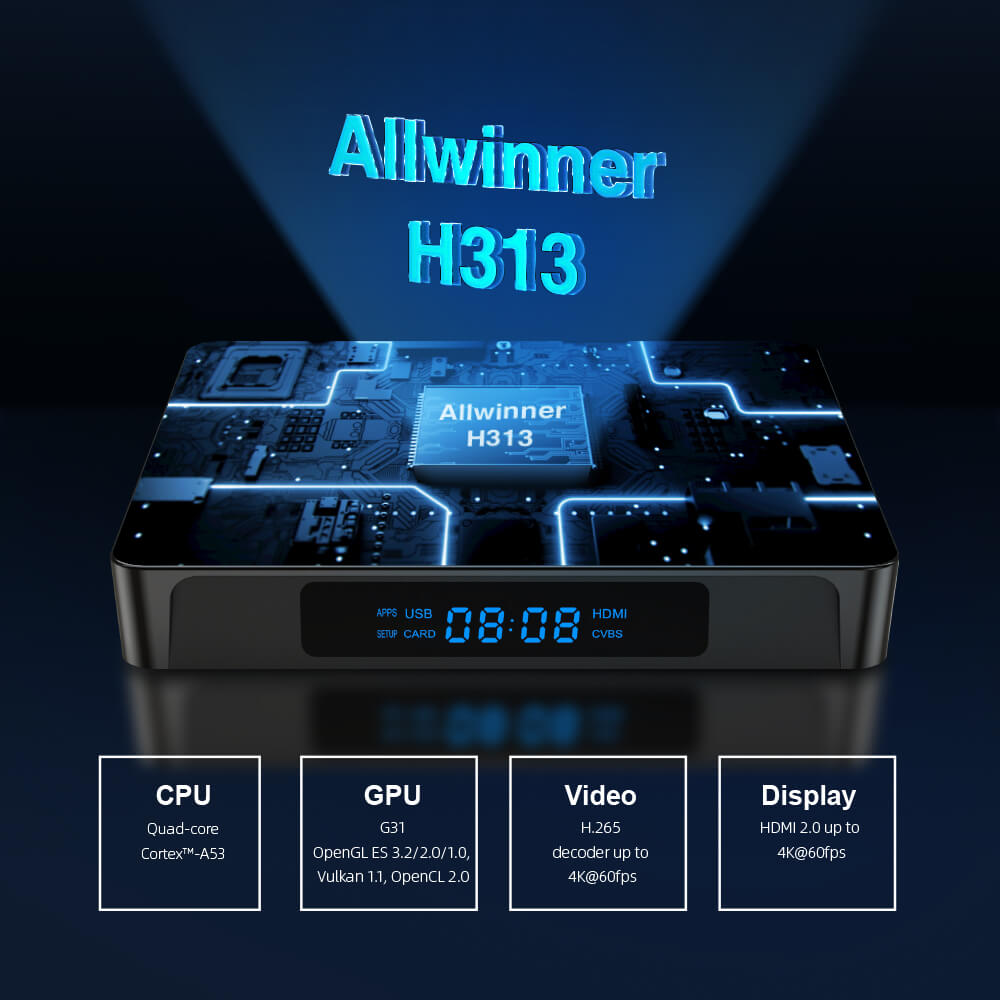
- Processor: Allwinner H313 quad-core Cortex-A53 CPU (1.5GHz). This processor is optimized for media streaming, offering smooth playback of 4K content and quick app launches. Unlike older chips, the H313 supports hardware decoding for popular video formats, reducing lag and improving overall performance.
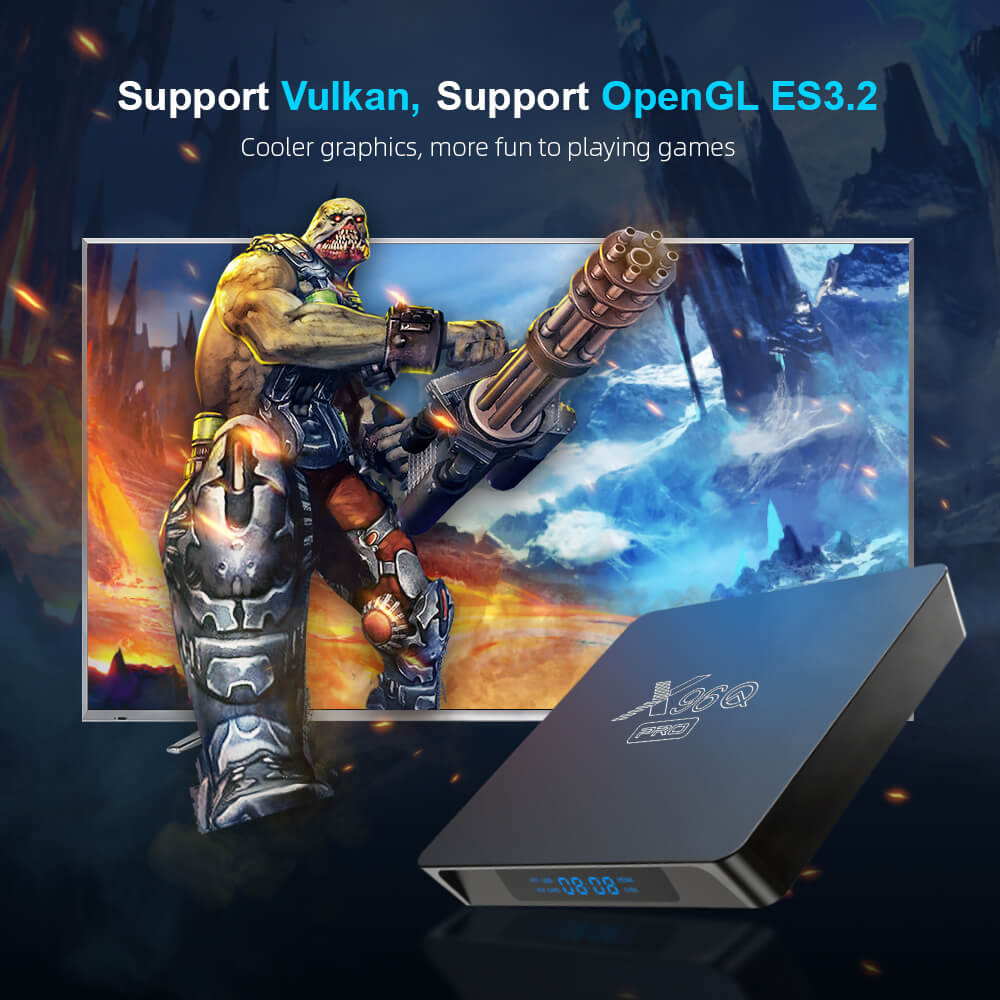
- GPU: Mali-G31 MP2 graphics processor. This GPU handles light gaming and video rendering, making it ideal for casual games and streaming high-definition content.
- Memory & Storage: The X96Q Pro comes in two configurations: 2GB RAM + 16GB ROM or 4GB RAM + 32GB ROM. The 4GB/32GB version is recommended for multitasking (e.g., running multiple apps at once) and storing offline content. Additionally, it supports microSD cards up to 128GB, so you can expand storage for movies, music, and apps.
- Operating System: Android 11 (upgradable to Android 12). Android TV OS is user-friendly, with a clean interface optimized for TV screens. It supports voice control (via a compatible remote) and integrates seamlessly with Google Assistant.
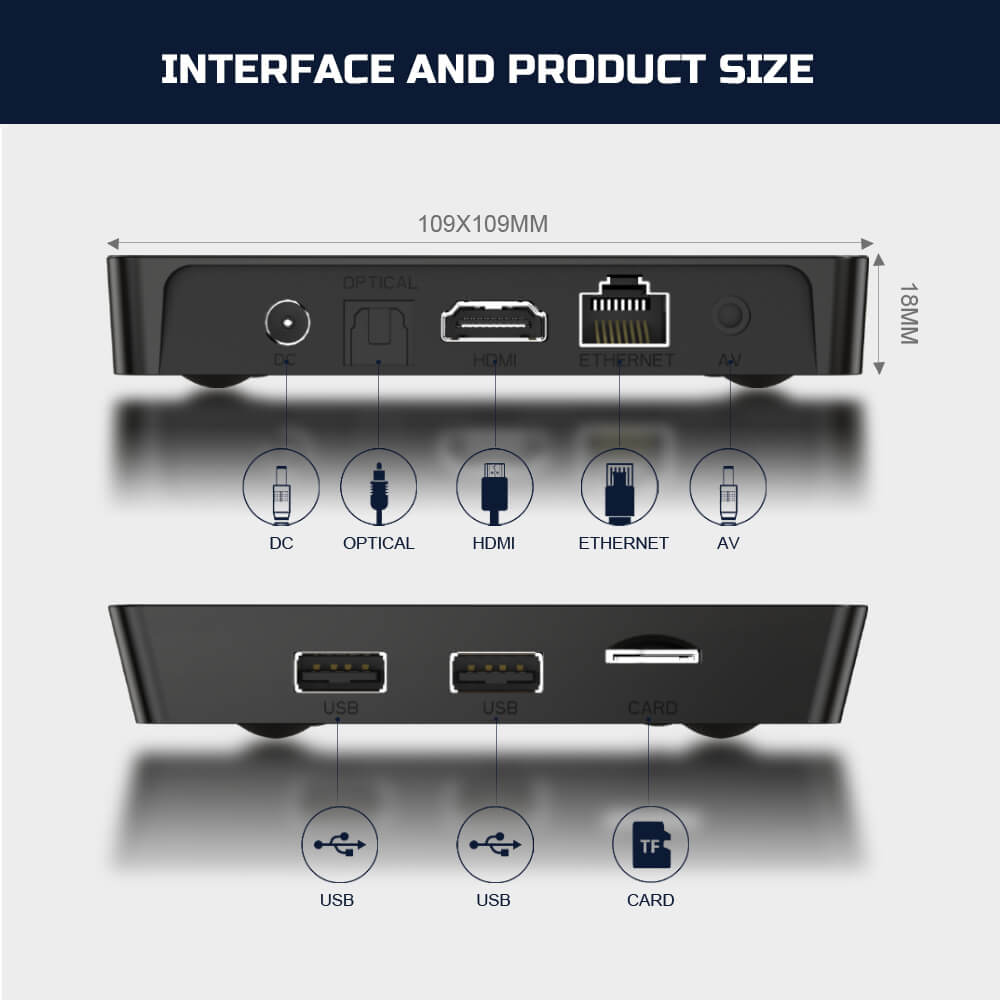
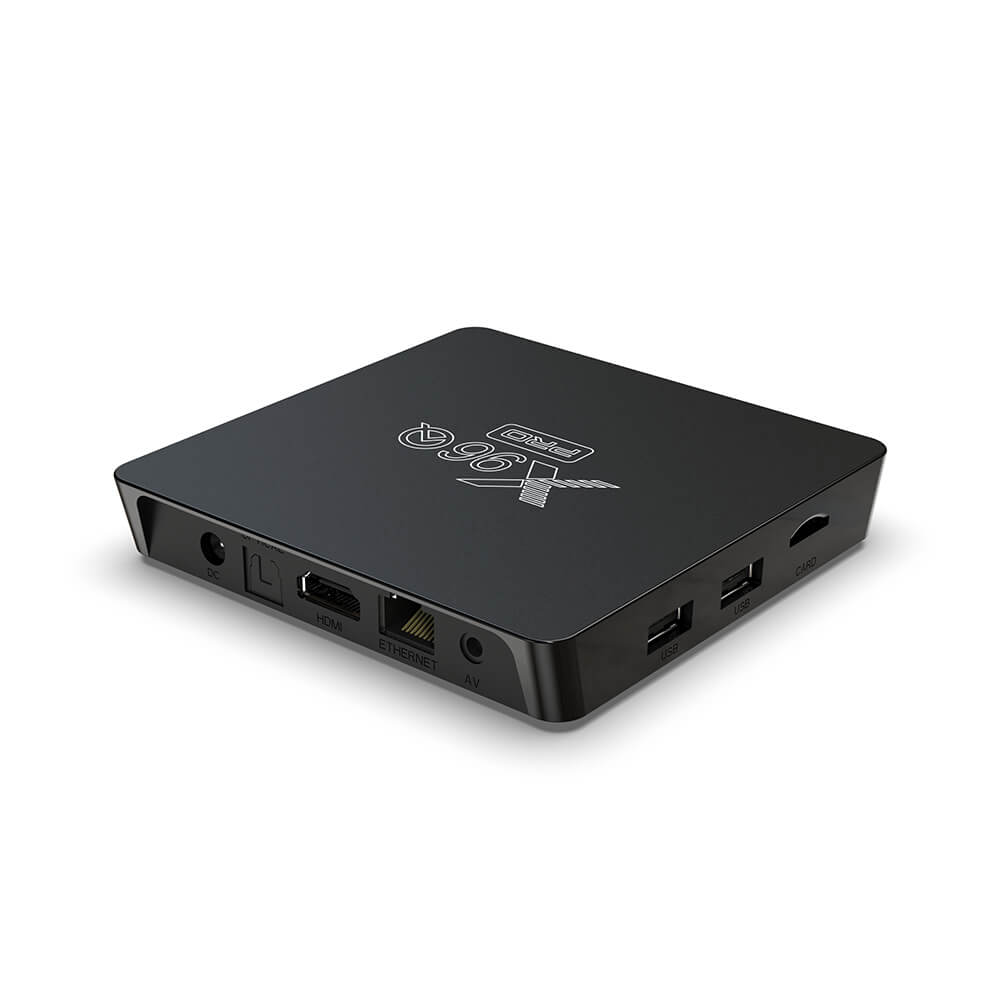
- Connectivity: Wi-Fi 802.11 b/g/n (2.4GHz), Ethernet (100Mbps), Bluetooth 5.0, HDMI 2.0, USB 2.0 ports (x2), and a microSD card slot. The 2.4GHz Wi-Fi is perfect for streaming 4K content, while Bluetooth 5.0 allows you to connect wireless headphones, speakers, and game controllers.
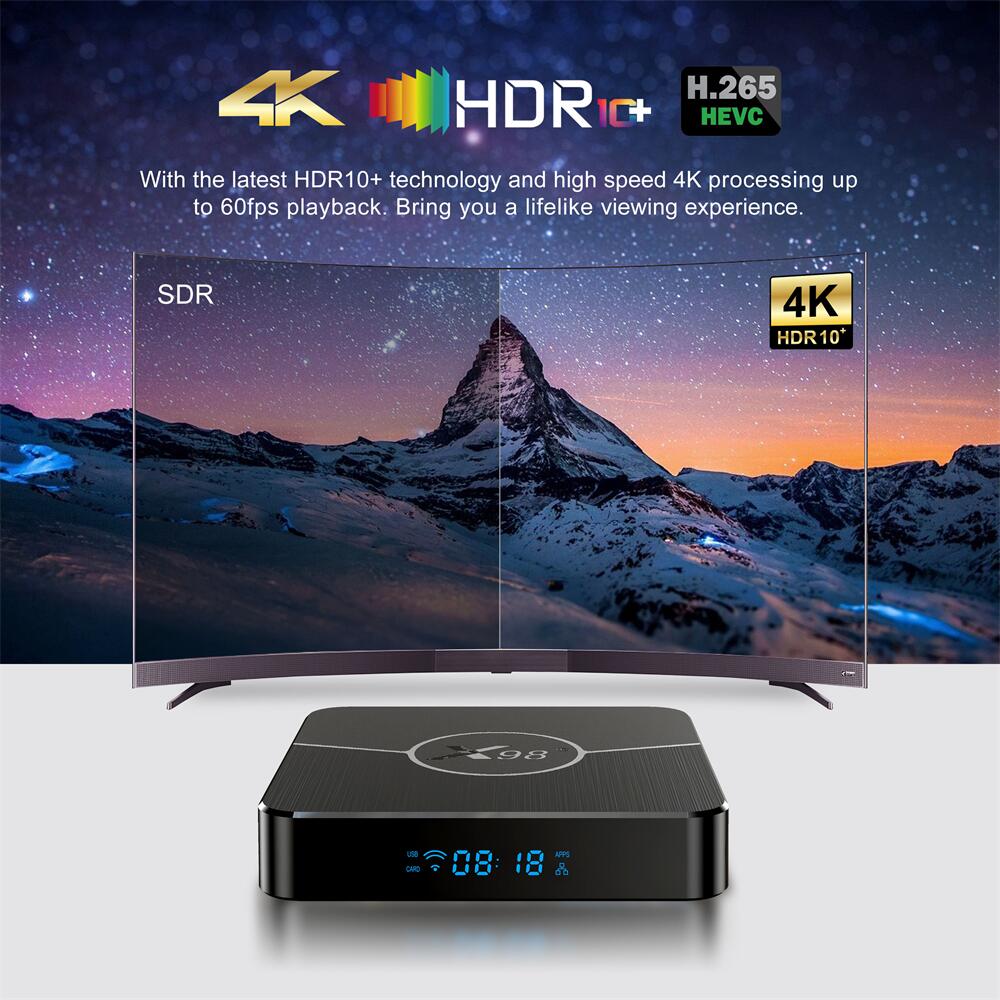
- Video & Audio: Supports 4K@30fps video playback, H.265/HEVC decoding, and a wide range of video formats (MKV, MP4, AVI, MOV, etc.). For audio, it supports Dolby Digital and DTS, delivering immersive sound when paired with a soundbar or home theater system.
Performance: Smooth Streaming & Light Gaming
The X96Q Pro’s performance is where it truly shines for its price. We tested the 4GB/32GB model with a 4K TV, and the results were impressive. Streaming 4K content from YouTube and Netflix was smooth, with no buffering (when connected to a stable Wi-Fi network). The Allwinner H313 processor handles hardware decoding efficiently, so even high-bitrate 4K videos played without lag or stuttering.
App launches were quick, with popular apps like Netflix, Disney+, and Amazon Prime Video opening in under 2 seconds. Multitasking was also smooth—we ran YouTube in the background while browsing the Google Play Store, and there was no noticeable slowdown. This is thanks to the 4GB RAM, which ensures that the device can handle multiple apps at once without crashing or freezing.
For gaming, the X96Q Pro is best suited for casual games like Candy Crush, Subway Surfers, and Asphalt Nitro. While it can run some light 3D games, more demanding titles (like PUBG Mobile or Genshin Impact) will struggle due to the entry-level GPU. That said, if you’re not a serious gamer and just want to play casual games on your TV, the X96Q Pro is more than capable.
One thing to note is that the 2.4GHz Wi-Fi can be a bottleneck if you have a weak internet connection. We recommend using an Ethernet cable for the most stable streaming experience, especially when watching 4K content. The Ethernet port supports 100Mbps, which is more than enough for 4K streaming (which typically requires 25Mbps or more).
User Experience: Easy to Set Up & Use
Setting up the X96Q Pro is a breeze—even if you’re not tech-savvy. Here’s how it works:
- Connect the X96Q Pro to your TV using the included HDMI cable.
- Plug in the power adapter and turn on the device.
- Follow the on-screen instructions to connect to Wi-Fi, sign in to your Google account, and update the system (if needed).
- Download your favorite apps from the Google Play Store, and you’re ready to stream.
The remote control included with the X96Q Pro is simple and intuitive, with buttons for power, volume, navigation, and quick access to popular apps (Netflix, YouTube). It also supports voice control if you have a Google Assistant-enabled device (like a Google Home Mini), allowing you to search for content, launch apps, and control playback with your voice.
The Android TV interface is clean and easy to navigate, with a home screen that displays your favorite apps, recently watched content, and recommendations. You can customize the home screen to prioritize the apps you use most, making it even more user-friendly. Additionally, the X96Q Pro supports screen mirroring, so you can cast content from your phone, tablet, or laptop to your TV—perfect for sharing photos, videos, or presentations.
Pros & Cons: Is the X96Q Pro Worth It?
Pros
- Affordable Price: The X96Q Pro is one of the most budget-friendly 4K Android TV boxes on the market, making it accessible to everyone.
- Smooth 4K Streaming: The Allwinner H313 processor and hardware decoding ensure smooth playback of 4K content from popular streaming platforms.
- Ample Storage & Expandability: The 4GB/32GB configuration (and microSD expansion) provides enough space for apps, movies, and music.
- Easy to Set Up & Use: The user-friendly interface and simple remote make it perfect for users of all ages.
- Versatile Connectivity: Wi-Fi, Ethernet, Bluetooth, and USB ports allow you to connect a wide range of devices.
Cons
- 2.4GHz Wi-Fi Only: No 5GHz Wi-Fi, which can be a downside if you have a 5GHz network (though 2.4GHz is sufficient for most users).
- Entry-Level GPU: Not suitable for demanding games.
- Plastic Build: The device is made of plastic, which feels less premium than metal alternatives (though this is expected at this price point).
- Limited Software Updates: While it runs Android 11 (upgradable to 12), long-term software support may be limited compared to premium devices.
Who Should Buy the X96Q Pro Allwinner H313 Android TV Box?
The X96Q Pro is perfect for:
- Budget-Conscious Users: If you want a 4K streaming device without spending a fortune, the X96Q Pro is an excellent choice.
- Users with Old TVs: Transform your non-smart TV into a smart TV with access to thousands of apps and streaming services.
- Casual Streamers: If you mainly watch Netflix, YouTube, and other streaming platforms, the X96Q Pro’s performance is more than sufficient.
- Home Office Users: Use it to mirror your laptop screen for presentations or video calls on a larger TV.
If you’re a serious gamer or need 5GHz Wi-Fi, you may want to consider a higher-end Android TV box (like the NVIDIA Shield TV or Amazon Fire TV Cube). But for most users, the X96Q Pro offers the best value for money.
Final Verdict
The X96Q Pro Allwinner H313 Android TV Box is a standout budget streaming device that delivers impressive performance for its price. It’s easy to set up, supports 4K streaming, and offers enough storage and connectivity for most users. While it has a few limitations (like no 5GHz Wi-Fi and an entry-level GPU), these are minor drawbacks when you consider its affordability.
If you’re looking to upgrade your TV without spending a lot of money, the X96Q Pro is a great choice. It’s perfect for casual streaming, light gaming, and everyday use, and it’s sure to provide hours of entertainment for the whole family. With its compact design, user-friendly interface, and smooth performance, the X96Q Pro proves that you don’t need to spend a fortune to enjoy smart TV features.
So, if you’re ready to cut the cord, upgrade your old TV, or simply add a versatile streaming device to your home, the X96Q Pro Allwinner H313 Android TV Box is definitely worth considering. Head over to the official product page to learn more about its specifications, pricing, and purchasing options. It’s affordable, reliable, and packed with features that make it one of the best budget Android TV boxes on the market in 2026.
| Model | X96Q Pro |
| CPU | Allwinner H313 Quad-Core ARM Cortex A53 |
| GPU | Mali-G31 OpenGL ES 3.2 |
| RAM+ROM | 1GB+8GB / 2GB+16GB |
| OS | Android 10 |
| Ethernet | Not Supported |
| WiFi | 2.4G + 5G Dual Band |
| USB | USB 2.0 |
| Bluetooth | Not Supported |
| Resolution | 4K |
| Applications | Google Play, Aptoide, Kodi, YouTube, Netflix, etc. |
| Video Decoding | • 4K@60fps Hardware Decoding • Support H.265, VP9, H.264, AVS2, MPEG-1/2/4 • Support mkv, mp4, mov, avi, wmv, dat, mpg, rm |
| Audio | MP3, AAC, WMA, FLAC, Ogg |



Leave a comment
All fields marked with an asterisk(*) are required